 Feelrun
Settings › AI
Your own AI key
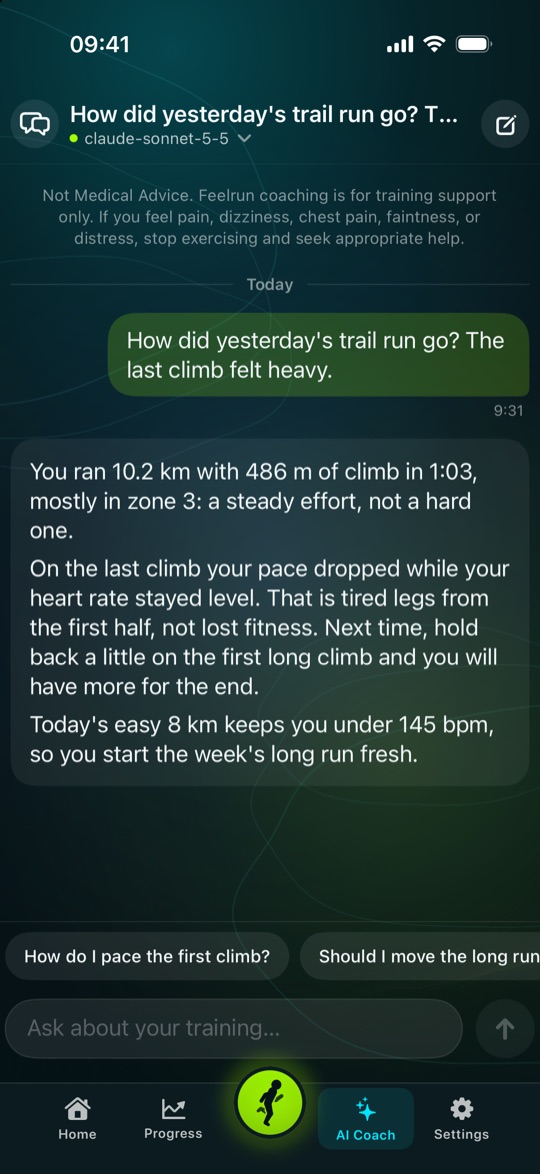
Feelrun's AI coach writes your cues during a run, analyses your runs, answers in the chat and plans your weeks, with OpenAI or Anthropic and under your own account. Setting it up takes about five minutes.
No Feelrun server
Your iPhone sends each request straight to the provider. The key stays in your iPhone's Keychain.
Not part of a chat plan
A ChatGPT or Claude subscription does not include a key. It comes from the provider's developer site.
You pay the provider
Add credit first; a small amount such as 5 USD is enough to start. You can set a spending limit there.
Free 30 days, then Pro
The AI coach is open in the free 30 days and with Feelrun Pro. Without a key, the built-in cues still speak.
Six steps
-
Choose your provider in Feelrun
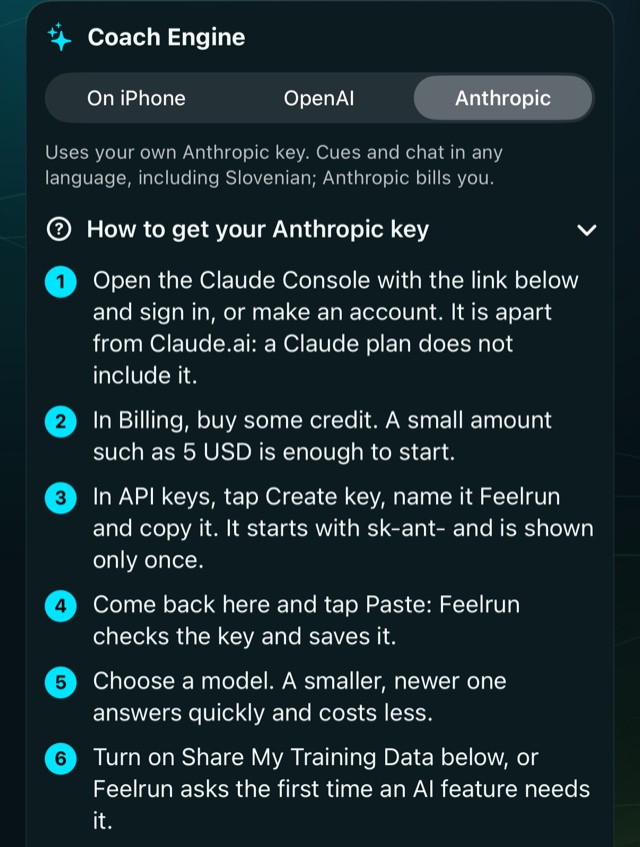
Open Settings › AI and under Coach Engine choose OpenAI or Anthropic. Feelrun shows these same steps there, with links to the provider's pages.
-
Make an account and add credit
On the provider's developer site, not in ChatGPT or Claude.ai.
OpenAISign in at the OpenAI Platform, or make an account. In Billing, add a card and some credit. With auto recharge off, no more is ever taken.
AnthropicSign in at the Claude Console, or make an account. In Billing, buy some credit.
-
Create the key and copy it
The key is shown only once. If it is lost, make a new one and delete the old one. Do not send it to anyone, Feelrun's support included.
OpenAIIn API keys, tap Create new secret key, name it Feelrun and copy it.
sk-…AnthropicIn API keys, tap Create key, name it Feelrun and copy it.
sk-ant-… -
Paste it into Feelrun
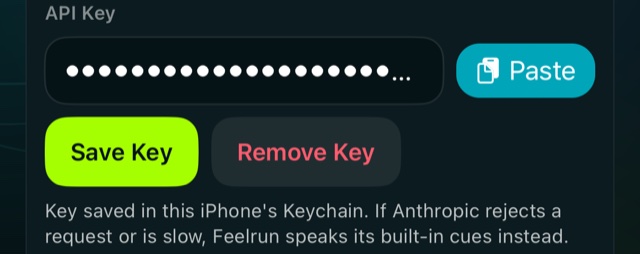
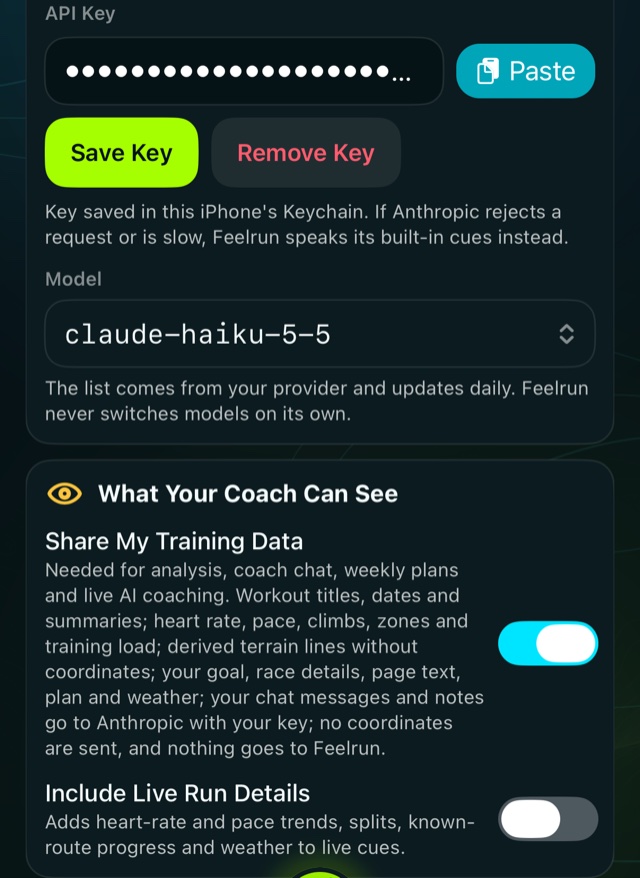
Back in Settings › AI, tap Paste next to the key field. Feelrun checks the key and saves it in your iPhone's Keychain.
-
Choose a model
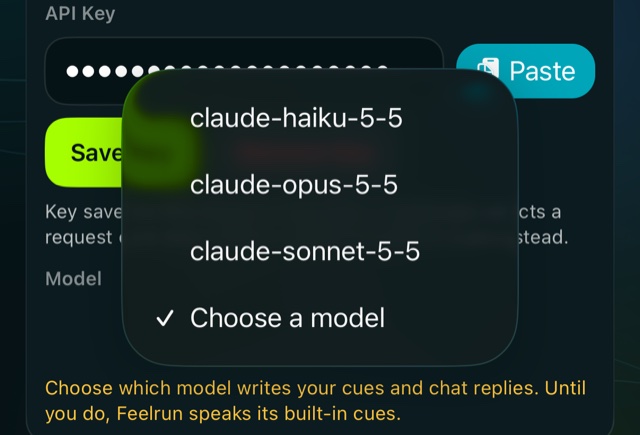
The list comes from your provider. A smaller, newer model answers quickly and costs less; a larger one writes longer analyses. Feelrun never changes your choice on its own.
-
Allow your training data to be shared
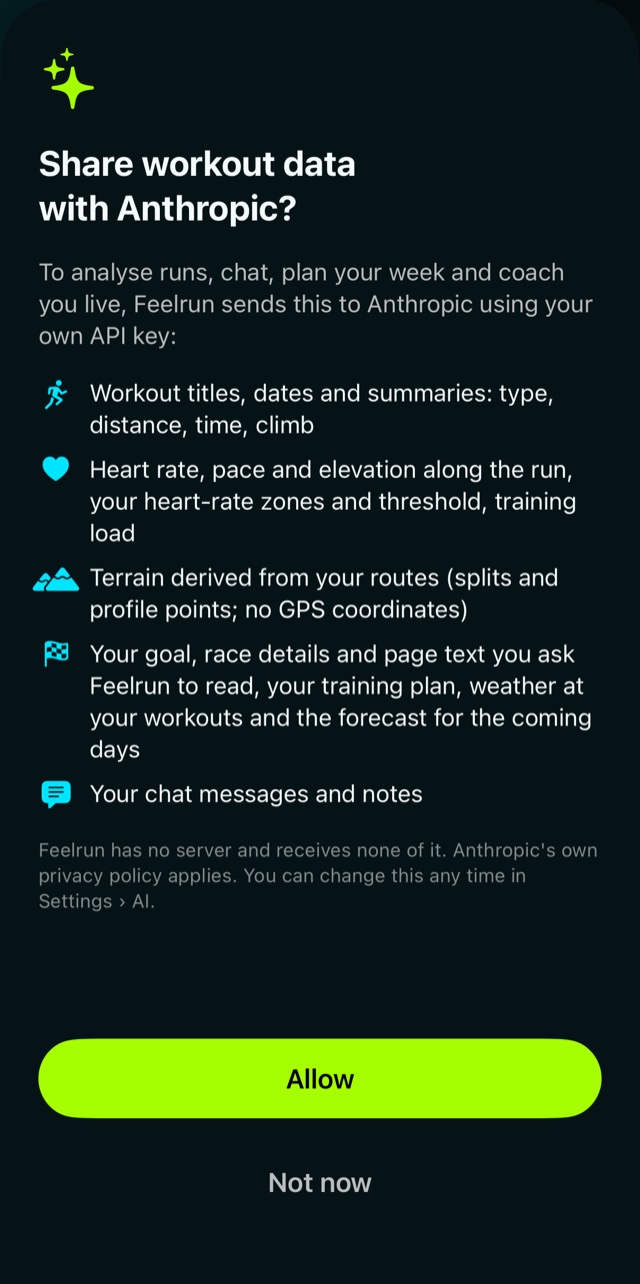
Tap Allow when Feelrun asks, or turn on Share My Training Data in Settings › AI. It lists what goes to the provider: workout summaries, heart rate, pace and climbs, your goal and plan, your chat.
No GPS coordinates are sent, and nothing goes to Feelrun. You can turn it off at any time.
-
Ready
Ask the AI Coach tab about your training, or open a run and tap Analysis. On your next run the cues are written for you.
If something goes wrong
- Feelrun says the key looks wrong
- Copy it again in full. An OpenAI key starts with
sk-, an Anthropic key withsk-ant-. Check that the right provider is chosen under Coach Engine. - The model list is empty
- Save the key first: the list is loaded from the provider with it.
- The coach says the provider refused
- Check that the account still has credit and the key was not deleted; then choose the model again.
- The AI features are locked
- After the free 30 days they need Feelrun Pro: Settings › General › Feelrun Pro.
Stopping
Tap Remove Key in Settings › AI. To end it at the provider too, delete the key on its API keys page. Feelrun then speaks its built-in cues again.
More help: Support or feelrunapp@gmail.com